Privacy-first. macOS-only. Local by design.

Privacy-first. macOS-only. Local by design.

Spend less time on notes, more time with clients.

AI-assisted therapy documentation, processed and stored entirely on your Mac with no cloud or external servers.

No cloud • No accounts • No data leaves your device


Recommended System Requirements:

macOS 26.0+, Apple Silicon (M-series), 16GB RAM
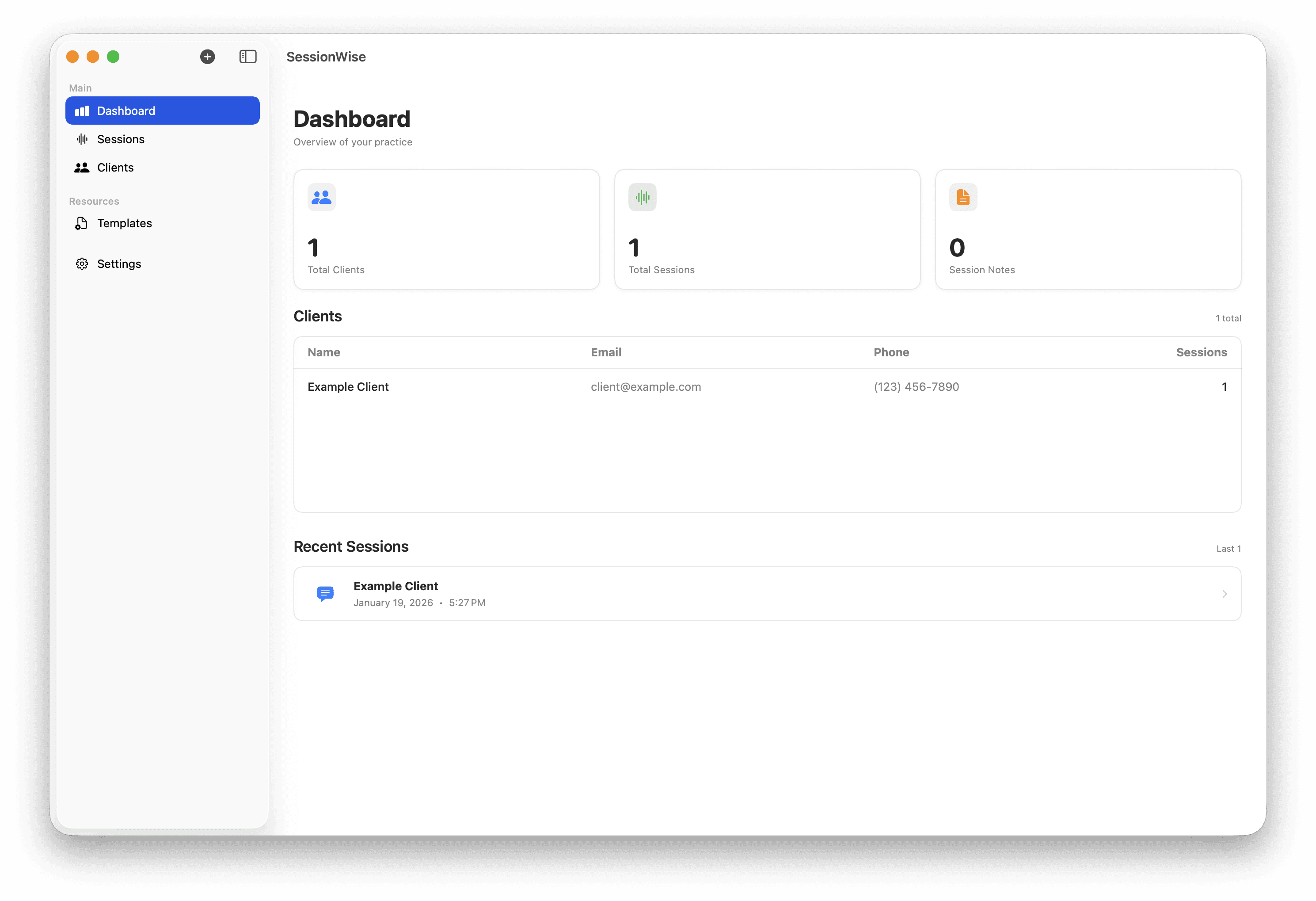
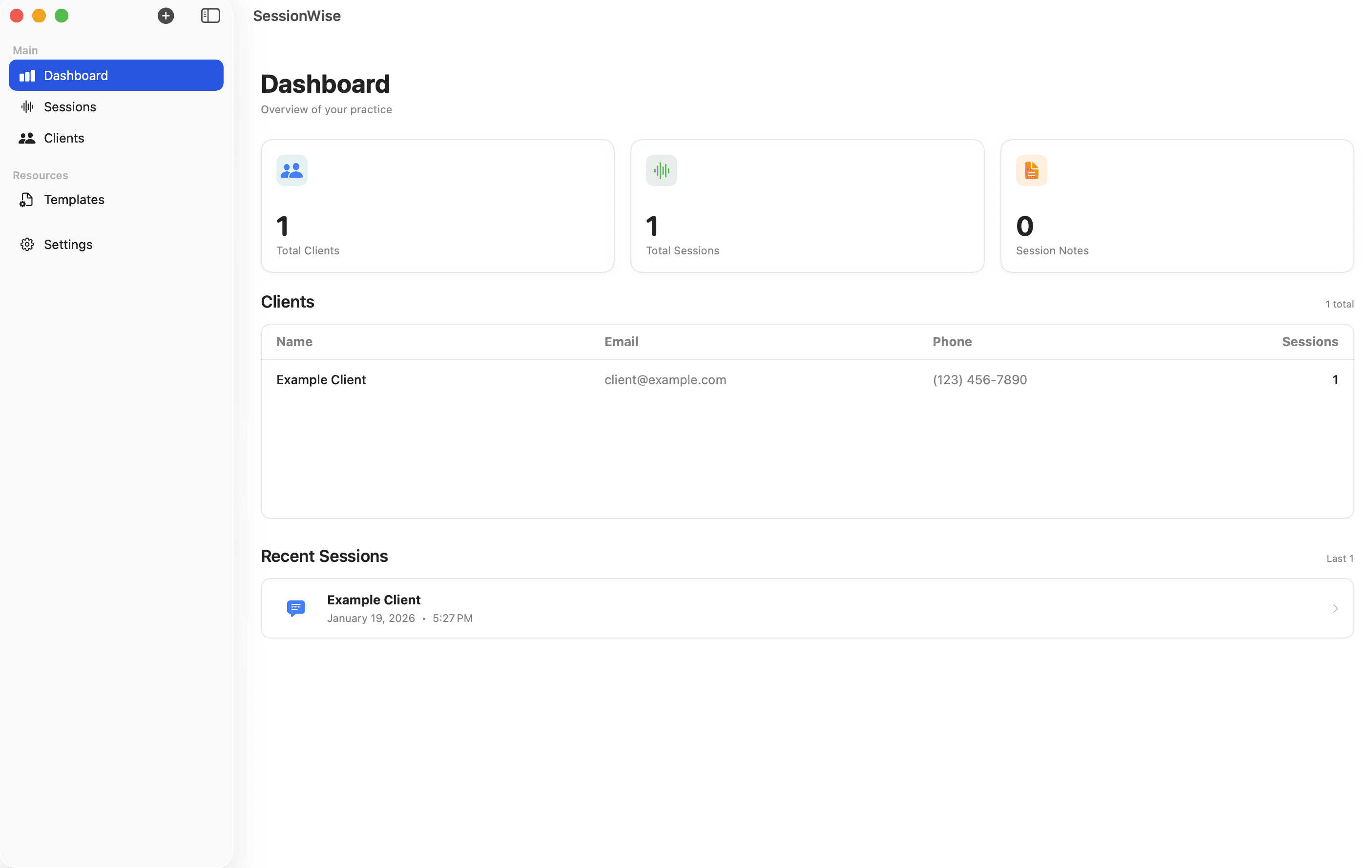
Dashboard Image
Dashboard Image
Dashboard Image

For Privacy-Conscious Clinicians

For Privacy-Conscious Clinicians

For Privacy-Conscious Clinicians

Documentation tools designed for clinical practice

Documentation tools designed for clinical practice

Documentation tools designed for clinical practice

All processing is done locally on your Mac. No cloud, no external servers, no data collection.

All processing is done locally on your Mac. No cloud, no external servers, no data collection.

All processing is done locally on your Mac. No cloud, no external servers, no data collection.

Accurate Session Transcription

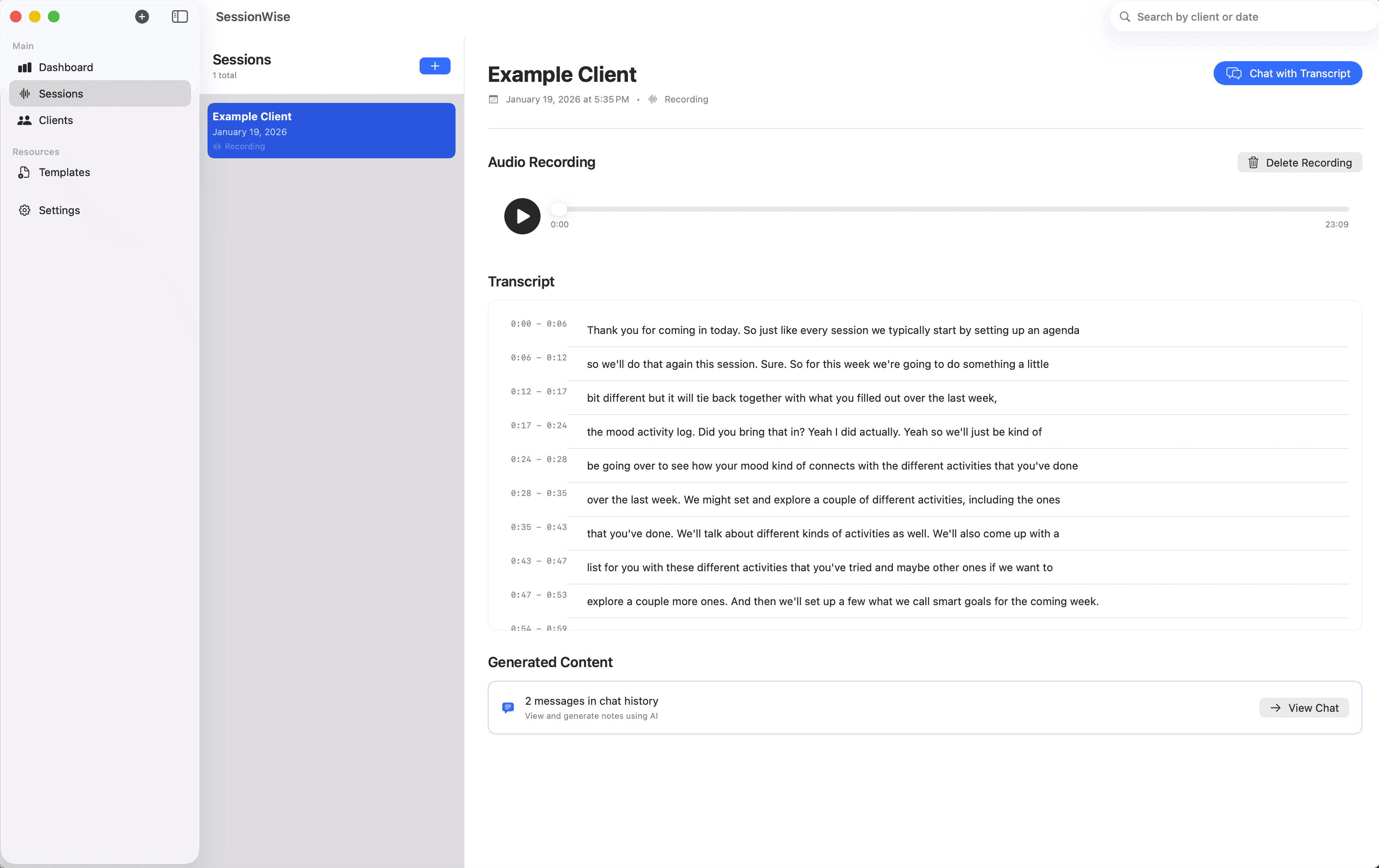
Create clear transcripts from therapy sessions using on-device processing, with data kept entirely on your Mac.

Structured Note Drafting

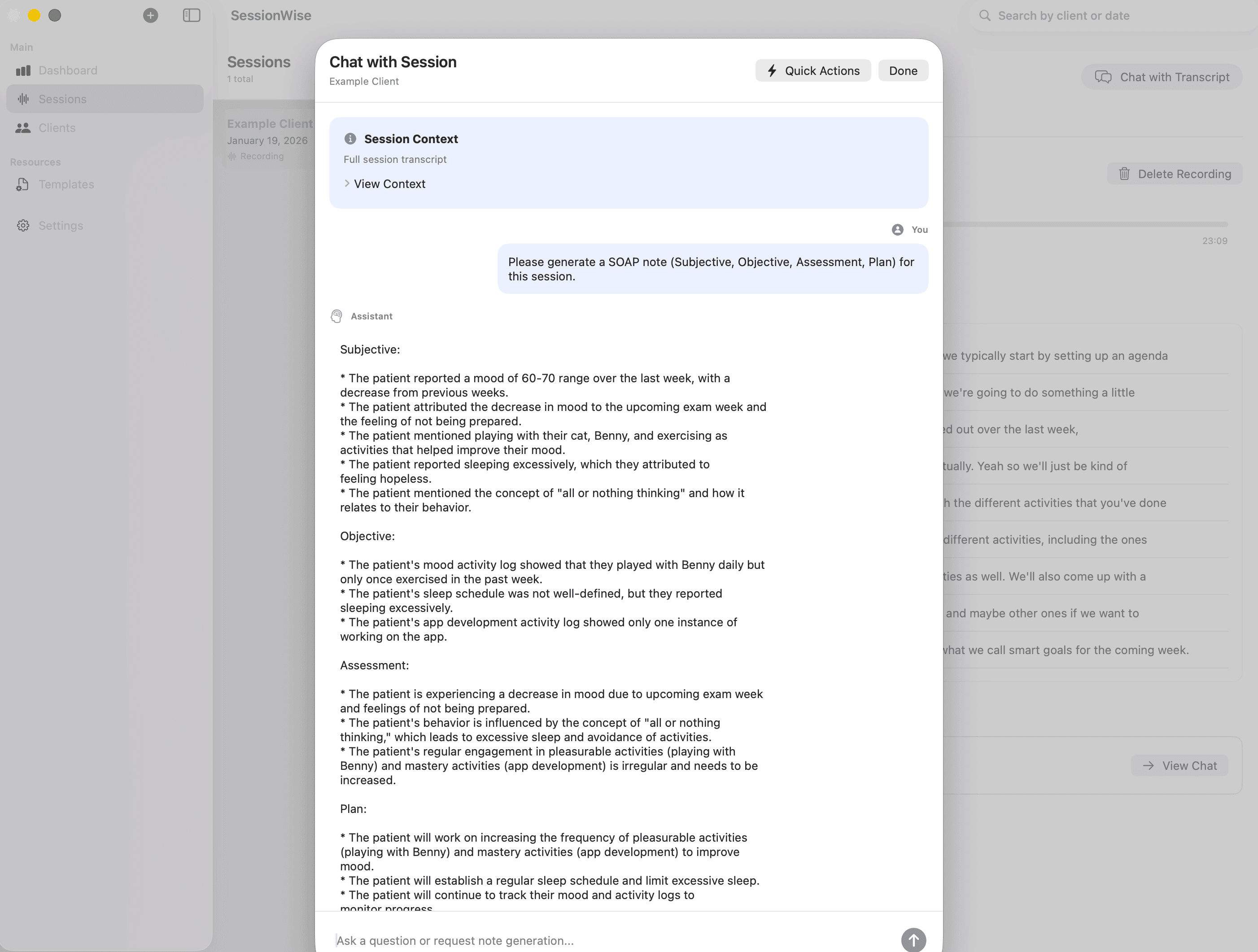
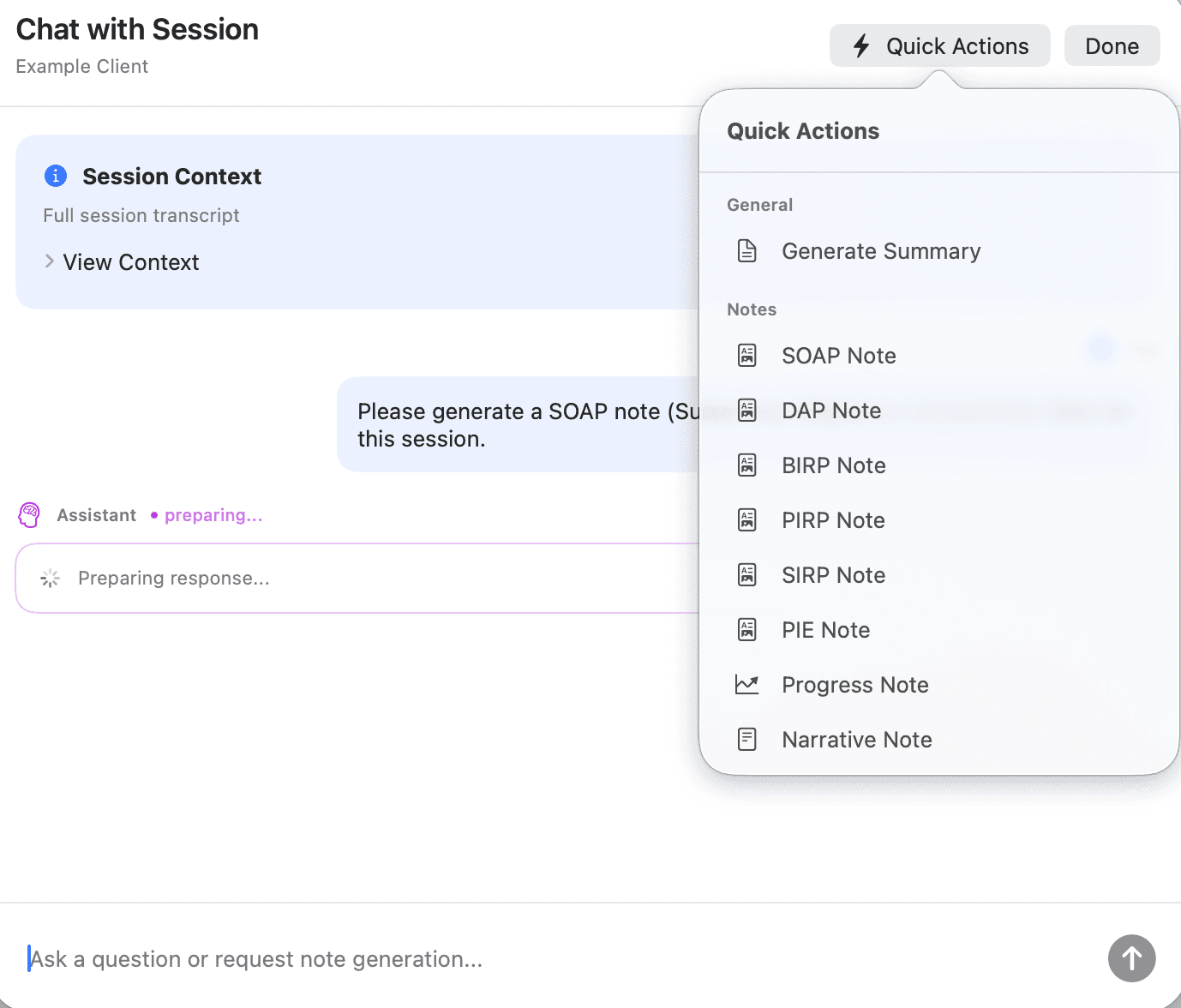
Generate draft Progress, SOAP, BIRP, and DAP notes to support your documentation workflow—while you remain in full control.

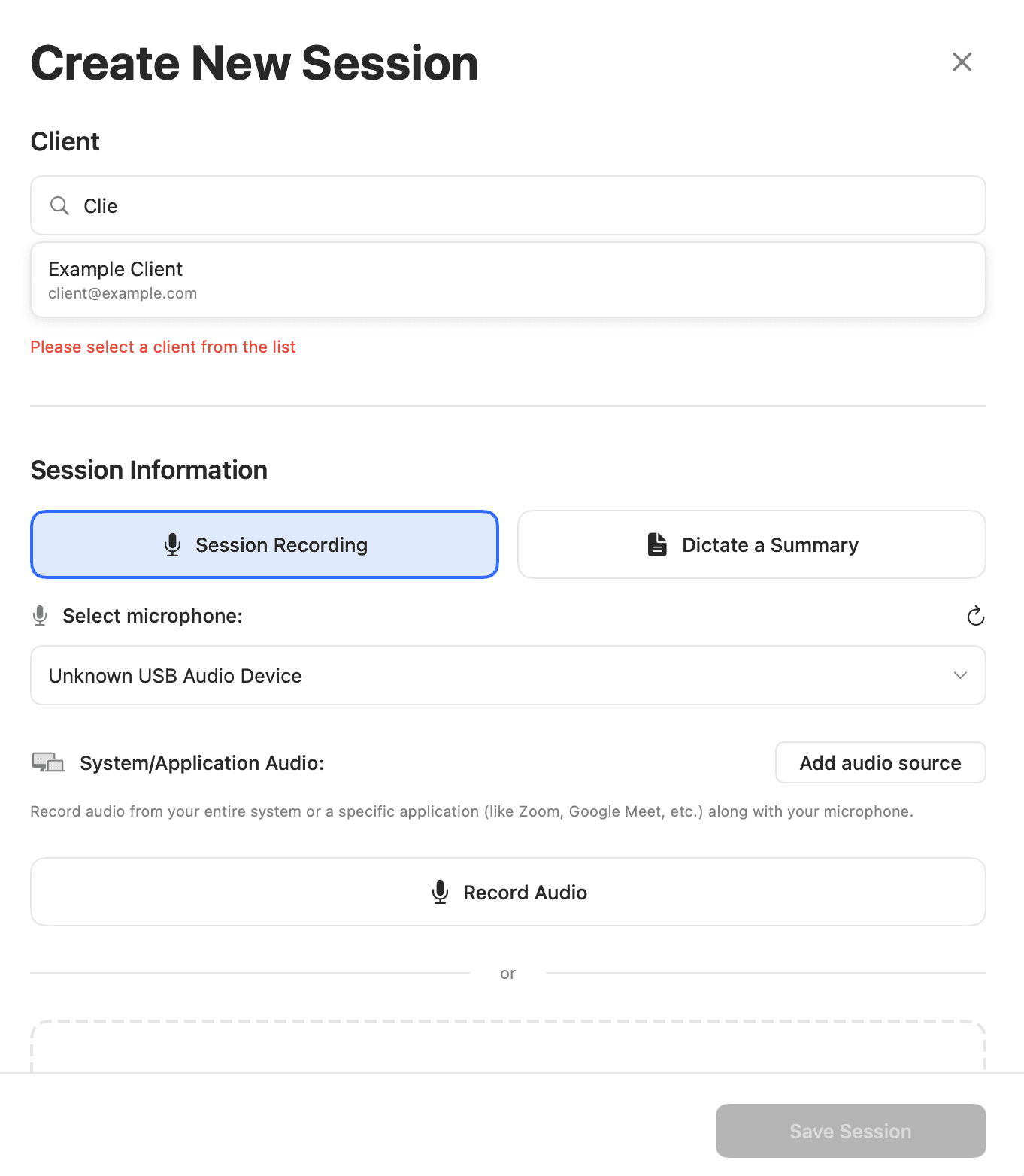
Dictate a Session Summary

Instead of recording full sessions, dictate a brief summary and generate a structured draft note using on-device processing.

Session Review & Reflection

Use an on-device assistant to explore and organize session content, helping you reflect on themes and documentation over time.
SessionWise does not interpret, diagnose, or make clinical judgments. All AI assistance is limited to drafting and organizing documentation.

SessionWise does not interpret, diagnose, or make clinical judgments. All AI assistance is limited to drafting and organizing documentation.

SessionWise does not interpret, diagnose, or make clinical judgments. All AI assistance is limited to drafting and organizing documentation.

Manual Notes

Reduce documentation burden

Reduce documentation burden

Reduce documentation burden

Streamline documentation without changing how you practice

Streamline documentation without changing how you practice

Streamline documentation without changing how you practice

Use on-device transcription and structured note drafting to reduce documentation time while staying fully in control of clinical decisions.

Use on-device transcription and structured note drafting to reduce documentation time while staying fully in control of clinical decisions.

Use on-device transcription and structured note drafting to reduce documentation time while staying fully in control of clinical decisions.

Structured Documentation Support – Use AI-assisted drafting to organize session notes and treatment plans you define.

Structured Documentation Support – Use AI-assisted drafting to organize session notes and treatment plans you define.

Personalized Interventions – Get AI-powered client-focused suggestions to improve treatment planning.

Theme & Language Review – Review recurring themes and language patterns in your notes to support clinical reflection.

Theme & Language Review – Review recurring themes and language patterns in your notes to support clinical reflection.

Theme & Language Review – Review recurring themes and language patterns in your notes to support clinical reflection.

Optional Session Recording & Transcription – Record and transcribe sessions when appropriate, with all data stored locally on your Mac.

Optional Session Recording & Transcription – Record and transcribe sessions when appropriate, with all data stored locally on your Mac.

Optional Session Recording & Transcription – Record and transcribe sessions when appropriate, with all data stored locally on your Mac.

Simple Pricing

Simple Pricing

Simple Pricing

Pricing designed for privacy-first practices

All plans include local-only storage. No cloud, no servers, no data collection.

Icon
Starter

Best for trainees or very small caseloads

$19

/ month

Up to 5 active clients

Unlimited sessions

Notes & transcription

AI-assisted documentation (on-device)

Icon
Growth

Best for solo private practice

$49

/ month

Up to 20 active clients

Unlimited sessions

Notes & transcription

AI-assisted documentation (on-device)

Icon
Unlimited

Best for high-volume or group practices

$89

/ month

Unlimited active clients

Unlimited sessions

Notes & transcription

AI-assisted documentation (on-device)

Free 7 days trial

Local, Offline-First Secure Storage

Icon
Starter

Best for trainees or very small caseloads

$19

/ month

Up to 5 active clients

Unlimited sessions

Notes & transcription

AI-assisted documentation (on-device)

Icon
Growth

Best for solo private practice

$49

/ month

Up to 20 active clients

Unlimited sessions

Notes & transcription

AI-assisted documentation (on-device)

Icon
Unlimited

Best for high-volume or group practices

$89

/ month

Unlimited active clients

Unlimited sessions

Notes & transcription

AI-assisted documentation (on-device)

Free 7 days trial

Local, Offline-First Secure Storage

Icon
Starter

Best for trainees or very small caseloads

$19

/ month

Up to 5 active clients

Unlimited sessions

Notes & transcription

AI-assisted documentation (on-device)

Icon
Growth

Best for solo private practice

$49

/ month

Up to 20 active clients

Unlimited sessions

Notes & transcription

AI-assisted documentation (on-device)

Icon
Unlimited

Best for high-volume or group practices

$89

/ month

Unlimited active clients

Unlimited sessions

Notes & transcription

AI-assisted documentation (on-device)

Free 7 days trial

Local, Offline-First Secure Storage

Local Storage & On-Device Processing

Local Storage & On-Device Processing

Local Storage & On-Device Processing

Your Notes Never Leave Your Computer

Unlike web-based platforms, SessionWise runs locally on macOS. All notes and processing stay on your Mac, keeping client information fully private.

Typical Web-Based Tools

Cloud-based storage and processing

Cloud-based storage and processing

Cloud-based storage and processing

Rigid note formats with limited customization

Rigid note formats with limited customization

Rigid note formats with limited customization

Interfaces designed for general use, not clinical workflows

Interfaces designed for general use, not clinical workflows

Interfaces designed for general use, not clinical workflows

Manual data entry across multiple systems

Manual data entry across multiple systems

Manual data entry across multiple systems

Documentation spread across platforms

Documentation spread across platforms

Documentation spread across platforms

Reliance on internet connectivity

Reliance on internet connectivity

Reliance on internet connectivity

V/S

Logo
Logo

Customizable documentation templates tailored to your workflow

Customizable documentation templates tailored to your workflow

Customizable documentation templates tailored to your workflow

AI-assisted drafting for structured therapy notes (on-device)

AI-assisted drafting for structured therapy notes (on-device)

AI-assisted drafting for structured therapy notes (on-device)

Clean, clinician-focused macOS interface

Clean, clinician-focused macOS interface

Clean, clinician-focused macOS interface

Reduced manual typing through dictation and drafting support

Reduced manual typing through dictation and drafting support

Reduced manual typing through dictation and drafting support

Designed to work alongside your existing record systems

Designed to work alongside your existing record systems

Designed to work alongside your existing record systems

Local organization of session notes and summaries

Local organization of session notes and summaries

Local organization of session notes and summaries

All data stored and processed locally on your Mac

All data stored and processed locally on your Mac

All data stored and processed locally on your Mac

No cloud • No accounts • No data leaves your device
On-Device AI Processing + Local Storage

Everything is processed and stored on your Mac.
No servers and no AI training. Just secure session notes.

Audio recordings, dictations, and transcripts are processed entirely on your Mac using on-device AI and stored locally. Nothing ever leaves your device — SessionWise works even when you’re offline.SessionWise does not collect, transmit, or retain client data.

Audio recordings, dictations, and transcripts are processed entirely on your Mac using on-device AI and stored locally. Nothing ever leaves your device — SessionWise works even when you’re offline.

SessionWise does not collect, transmit, or retain client data.

No cloud • No accounts • No data leaves your device
Dashboard Image
Dashboard Image
Dashboard Image

FAQs

FAQs

FAQs

Frequently Asked Questions

Does SessionWise send any data to the cloud?
Does SessionWise collect or track any usage data?
Who has access to my notes and client information?
Does SessionWise require an internet connection?
Does SessionWise interpret sessions or make clinical judgments?
How does SessionWise use AI if everything stays on my device?
Are full session recordings required to use SessionWise?
Can SessionWise integrate with my existing EHR or record system?
What happens to my data if I stop using SessionWise?
Who is SessionWise designed for?
Does SessionWise send any data to the cloud?
Does SessionWise collect or track any usage data?
Who has access to my notes and client information?
Does SessionWise require an internet connection?
Does SessionWise interpret sessions or make clinical judgments?
How does SessionWise use AI if everything stays on my device?
Are full session recordings required to use SessionWise?
Can SessionWise integrate with my existing EHR or record system?
What happens to my data if I stop using SessionWise?
Who is SessionWise designed for?
Does SessionWise send any data to the cloud?
Does SessionWise collect or track any usage data?
Who has access to my notes and client information?
Does SessionWise require an internet connection?
Does SessionWise interpret sessions or make clinical judgments?
How does SessionWise use AI if everything stays on my device?
Are full session recordings required to use SessionWise?
Can SessionWise integrate with my existing EHR or record system?
What happens to my data if I stop using SessionWise?
Who is SessionWise designed for?